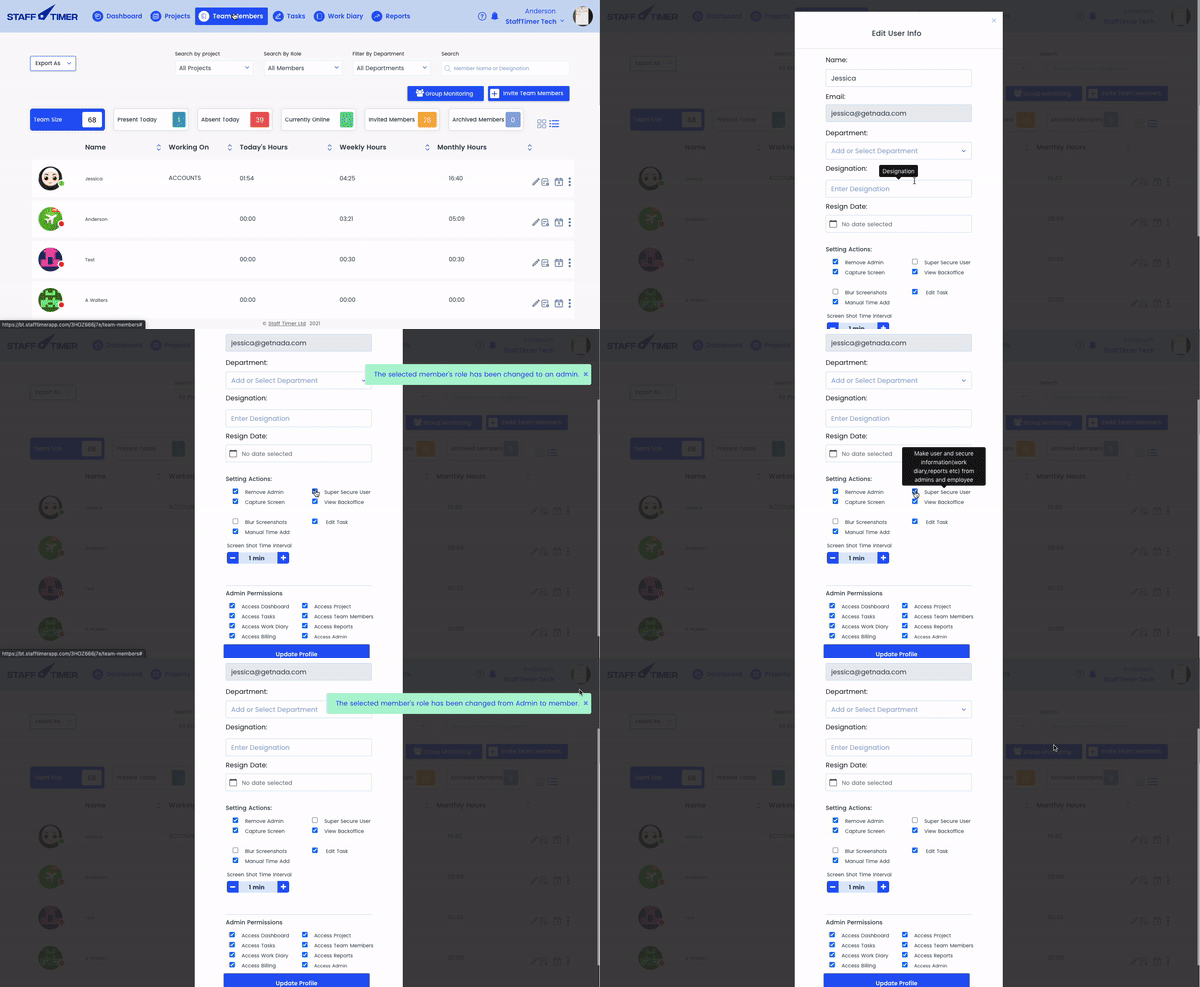

Making a super-secure user
1.
Click on the “Team Members” tab in the top navigation bar
2.
Click on the pencil icon on the right of the member’s name
3.
Click on “super secure user”
4.
None else will be able to see the screenshots apart from the member