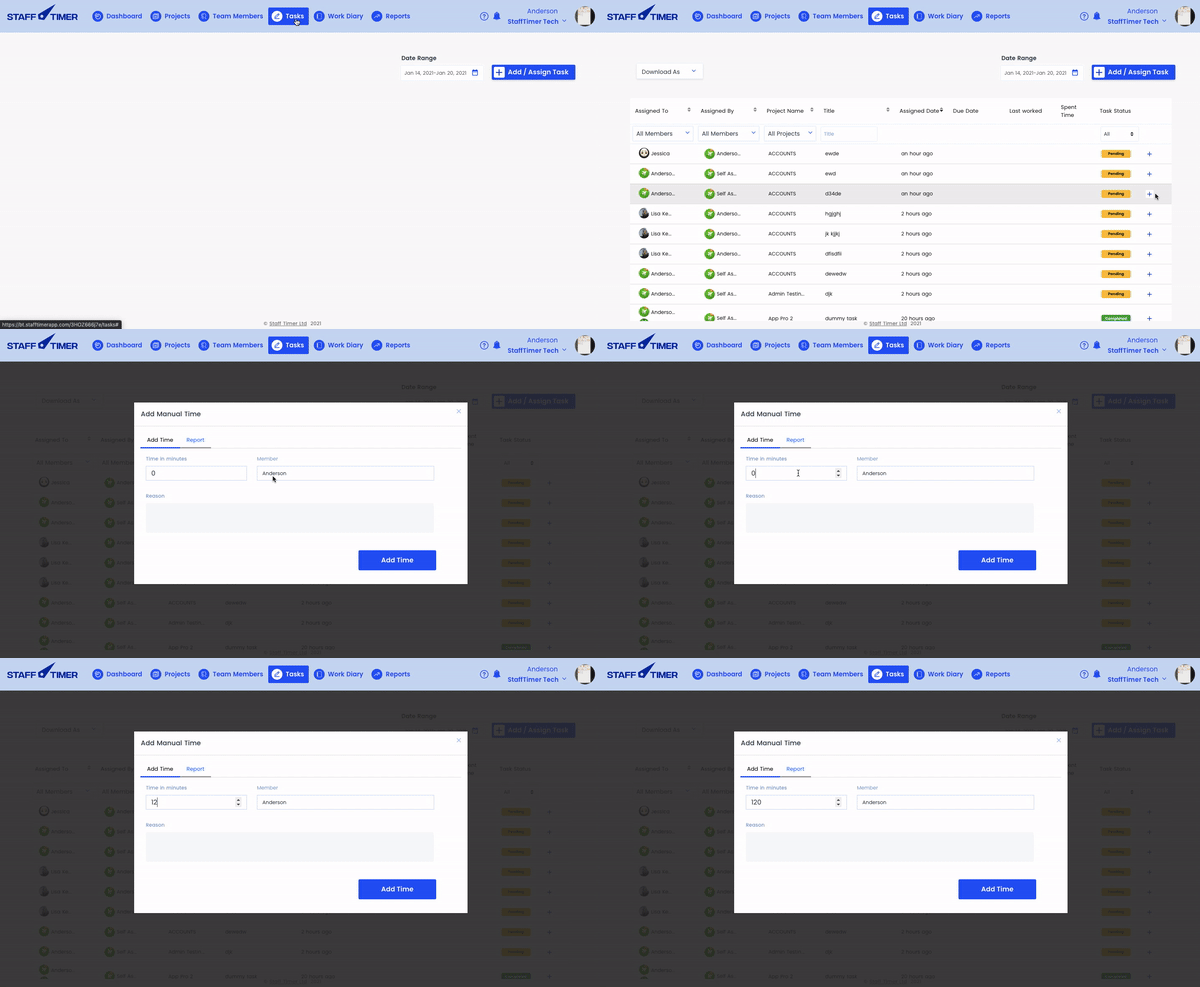

Adding time manually
1.
Click on the ‘tasks’ tab in the top navigation bar
2.
Select the member and/or date range from the filters section you want to add time for and hit search
3.
A complete task list will appear, press the ‘plus icon’ on the extreme right side of the task
4.
Add missed minutes, and press ‘update time’, your time will be added