
Viewing Timesheets
You can check how much time your employees have spent on certain tasks and URLS along with their screenshot.
1.
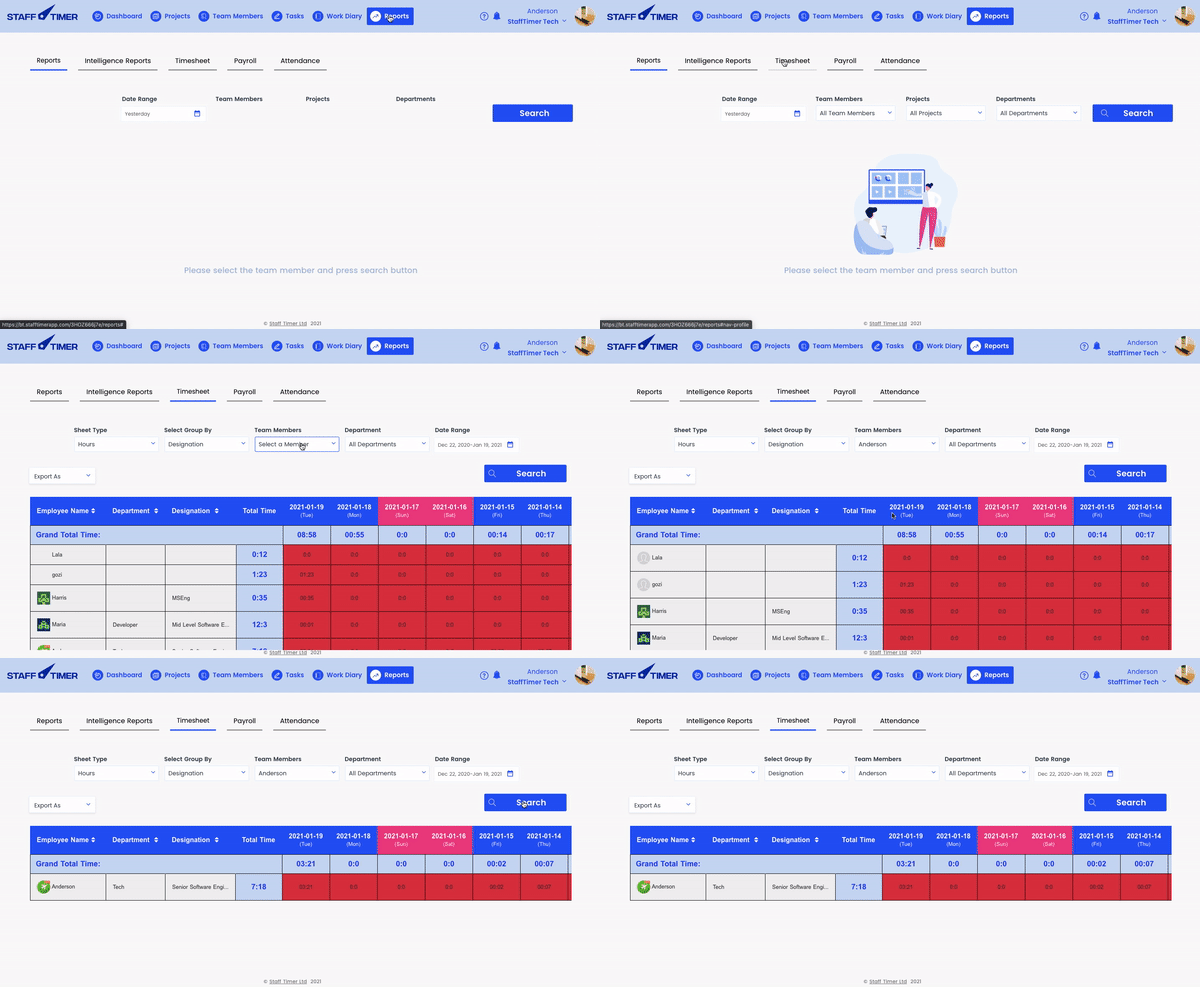
Click on the ‘Reports’ in the top navigation bar
2.
In the reports section, click on ‘Timesheets’
3.
In the sort and filter group, apply filters to check out the data based on designation, total hours, progress, date, and/or members
4.
Find Color highlights right below the sort & filter section to see the standard working hours in a day