

Setting up your Staff Timer App Account
1.
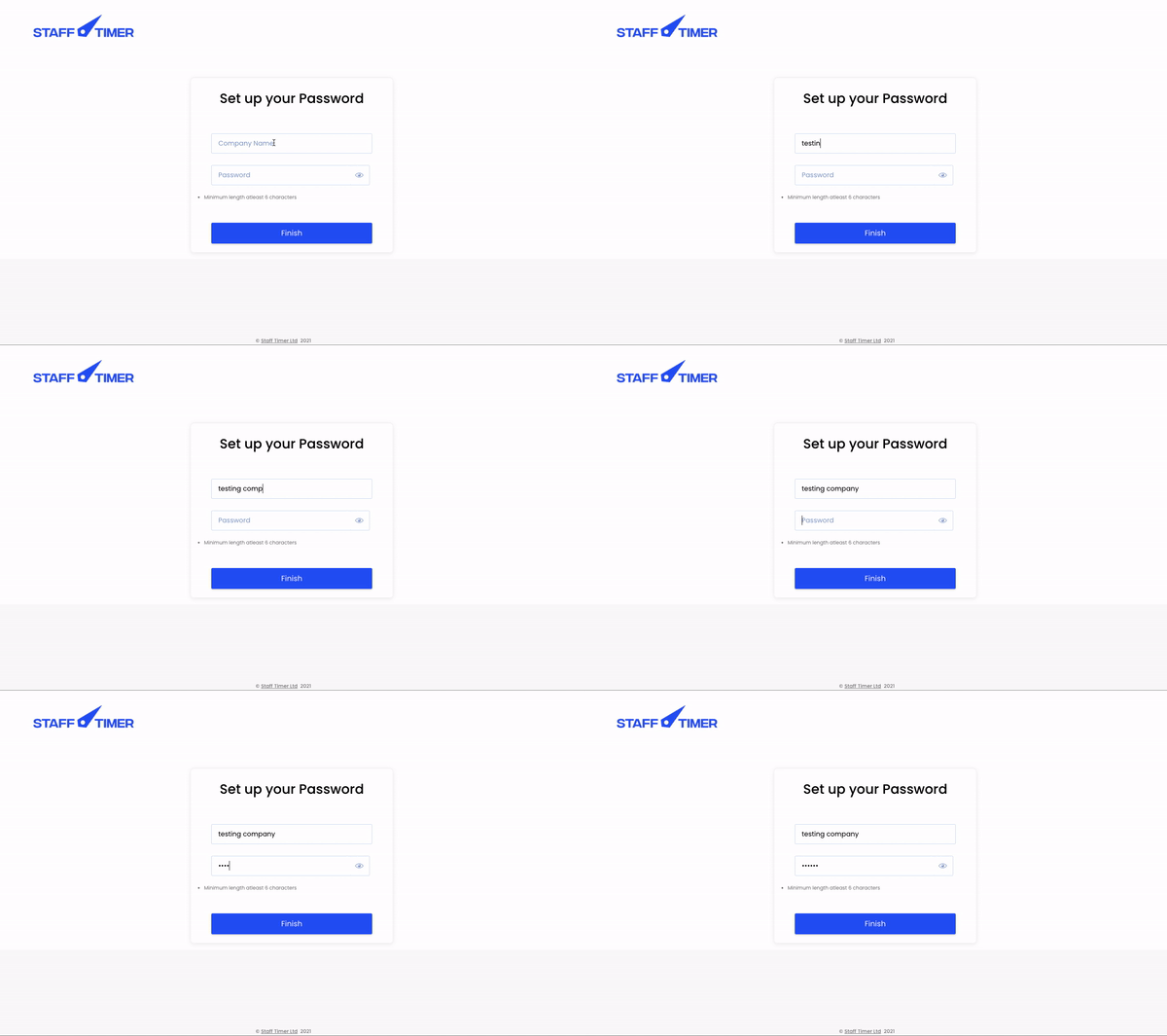
Enter “Company name”
2.
Enter “Password”
3.
Press “ Finish”
4.
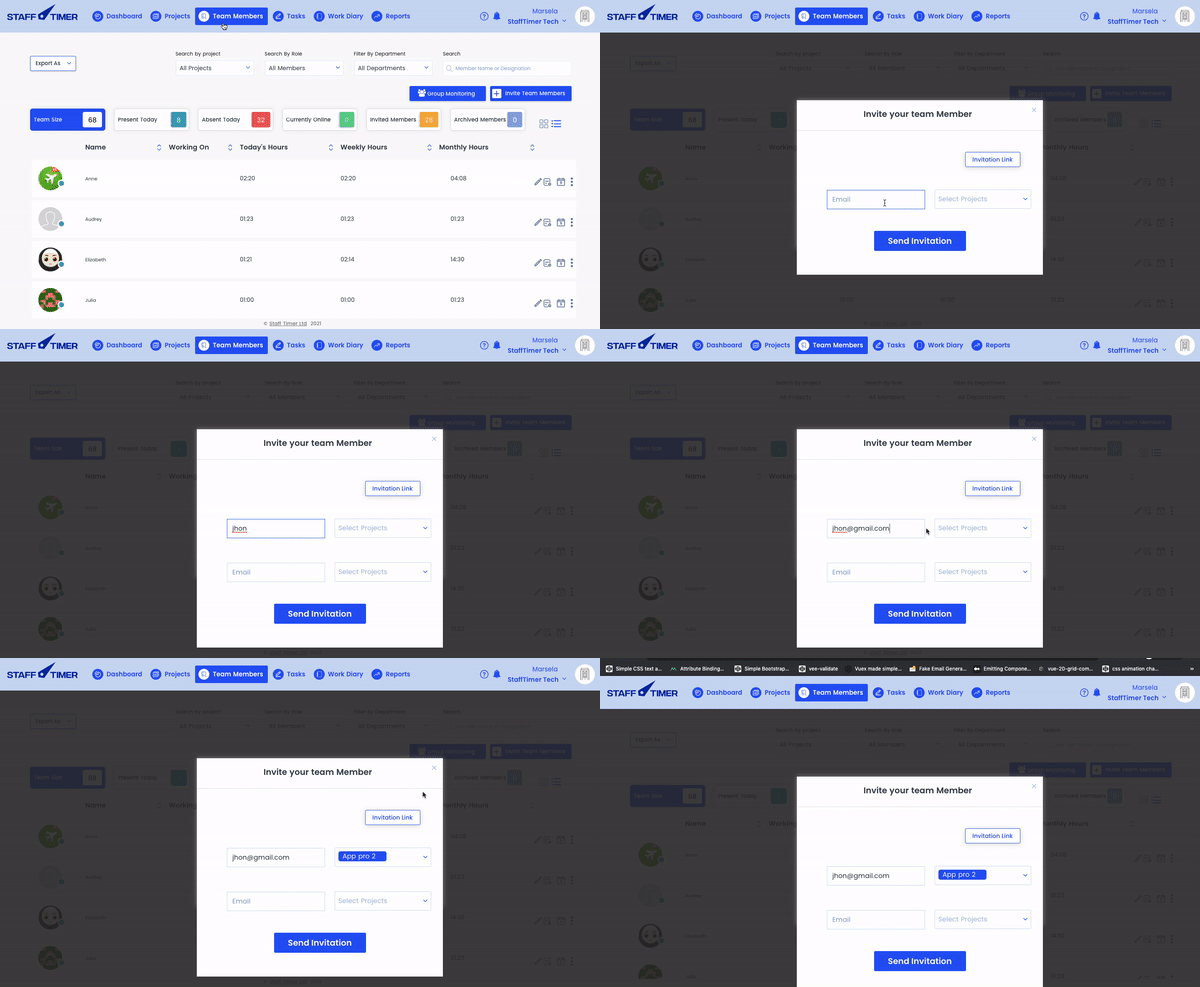
You will be redirected to the “Team members screen”, from here you can invite your team members
1.
Enter “Company name”
2.
Enter “Password”
3.
Press “ Finish”
4.
You will be redirected to the “Team members screen”, from here you can invite your team members